
Assembly Student Management System
Assembly supports you, so you can get on with the job of teaching
Student Hub brings it all together
Assembly's new student hub is the gathering place for principals and teaching staff to be able to enter, view, analyse and report on all student assessment, behaviour and attendance information. With the ability to keep all information together, in one place, teachers are able to quickly work on their assessments, managers are able to collate the assessments together for analysis and principals are able to graphically display the assessments quickly and easily for board of trustee, ministry and personal reporting.
Plan and distribute school-wide assessments
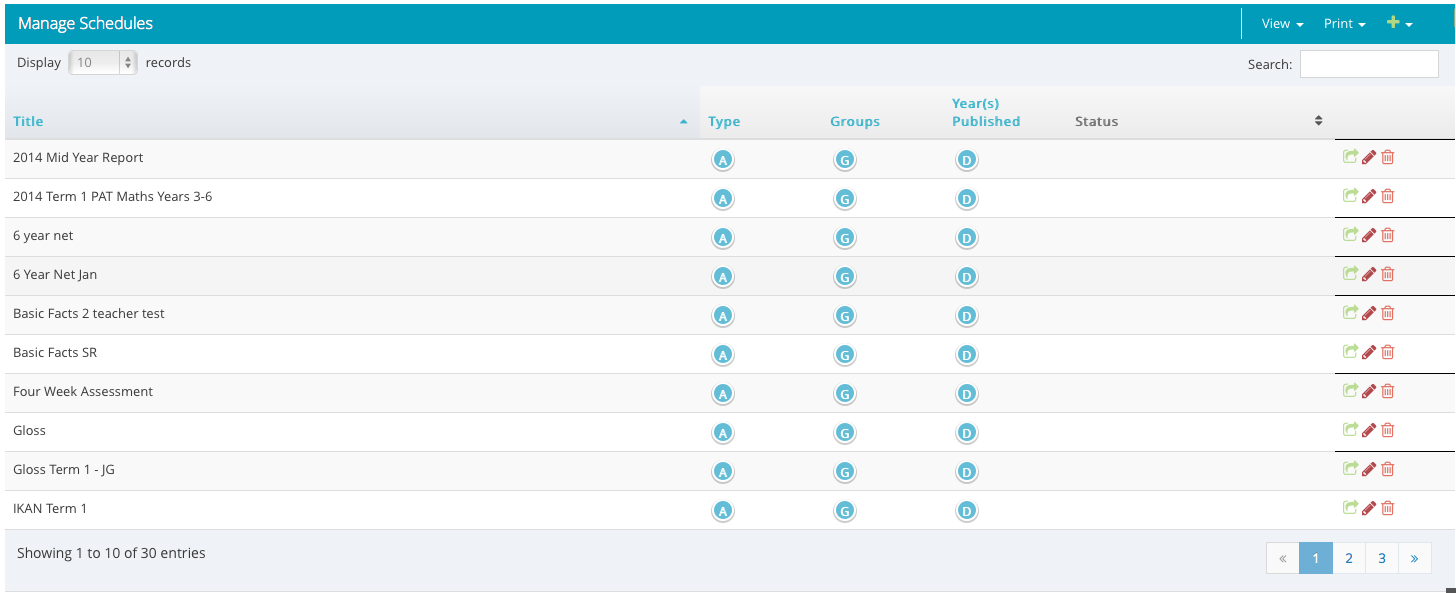
Assembly's planning management module has been designed to enable assessment managers to create re-usable planned assessments and publish these as often as needed. This simple process allows managers to very quickly plan out a years work and publish these assessments out to teachers with a few simple clicks. Managers are then able to track how teachers are going with recording assessment data through an information button. Viewing and analysing school-wide data and combinations of data is able to be done with a simple click of a button.
Create ad-hoc assessments
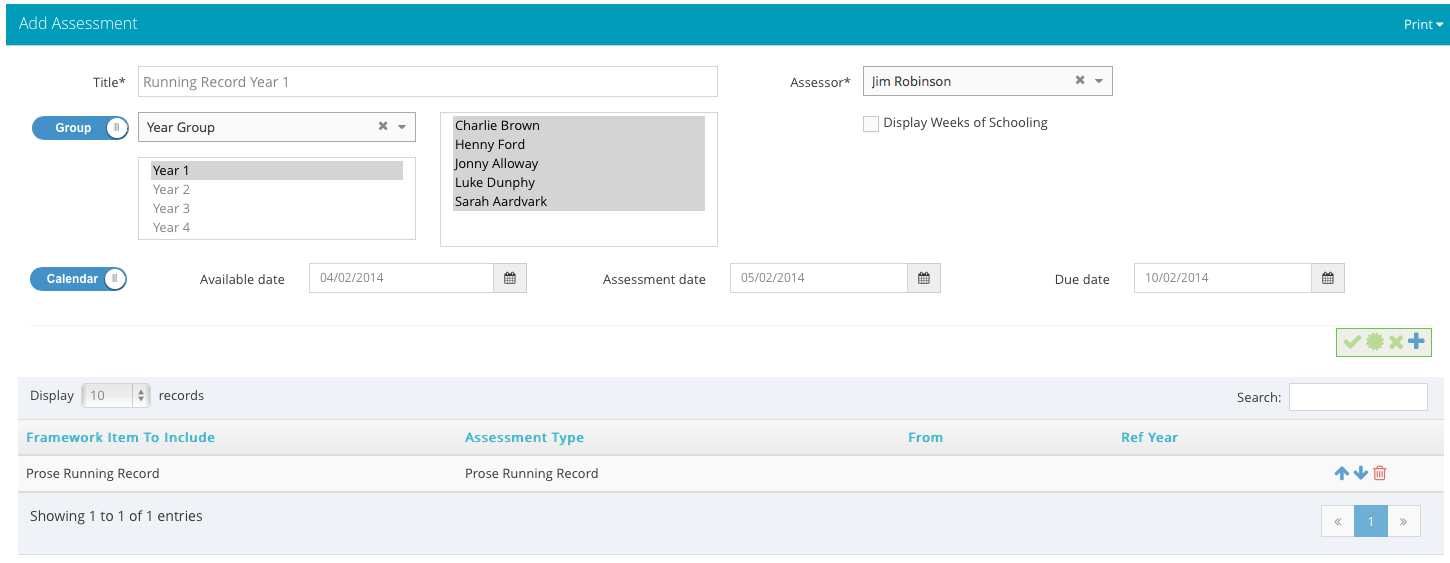
Outside of planned, school-wide assessments, teachers also have the ability to create their own ad-hoc assessments, thus allowing them to keep track of any assessment related data on their students. Once data has been entered into an assessment, whether planned or ad-hoc, teachers are able to visualise and analyse their data with a click of a button. Teachers are also able to combine assessments together and analyse the results.
Personalise your own curriculum frameworks
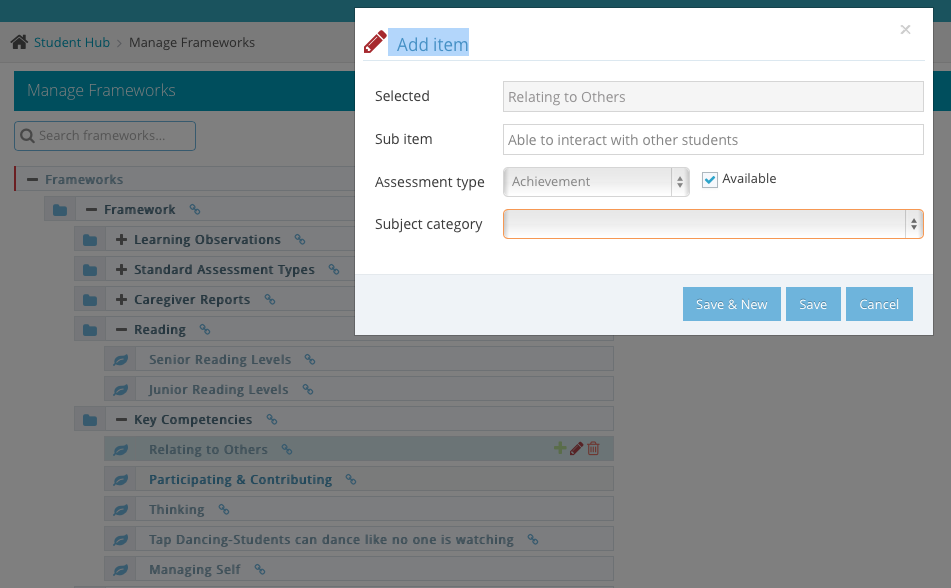
The Assembly team are aware that every school is different. We therefore supply the curriculum frameworks in three different options - by level, by area of learning and level or by area of learning on it's own. Schools can then add to and alter the frameworks to make them personal to their own requirements. We also allow for both the catholic and the seventh day adventist curriculums, with Maori and other frameworks coming soon. And, if you like working completely out of the box, you can create your own frameworks completely from scratch.
Assess by student group or individual student
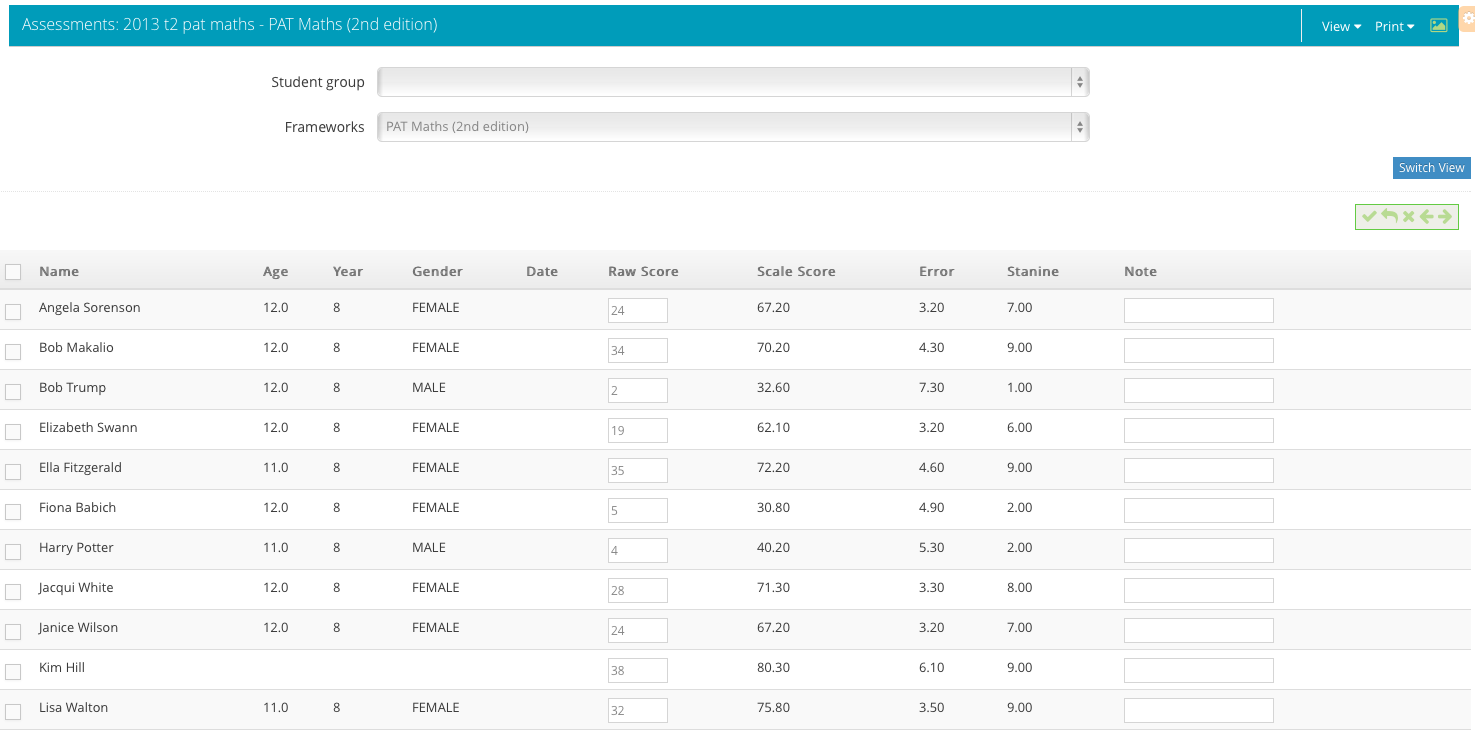
Assessments are not always the same. Sometimes it is easier to work with a whole class at a time, quickly filling in the results down the page, such as for tests. Other times it is a lot easier to concentrate on a single student at a time, such as for caregiver reporting. Assembly allows you to use both methods, at any time, or switch between them - whatever suits you when you are working.
Daily attendance registers at a click of a button
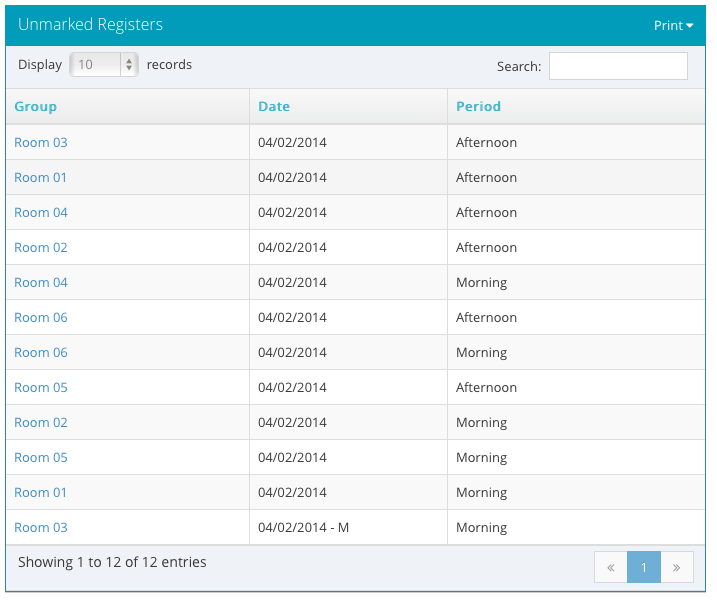
As our student hub is the centre of teacher's assembly activity, we have included our attendance registers on our student hub dashboard. Teachers will see the registers that need to be completed and, with the click of a button, can access the register and fill it in. From the administration side, office administrators are able to track which registers have been completed and which ones still need to be done. Attendance results are automatically collated and attendance officers are able to immediately handle any unknown absences or truants. With links to automatic attendance software, Assembly is able to quickly get responses from parents or caregivers and update their attendance results. With associated comprehensive reports and visualisations, attendance analysis is a breeze.
Manage behaviour - both positive and negative
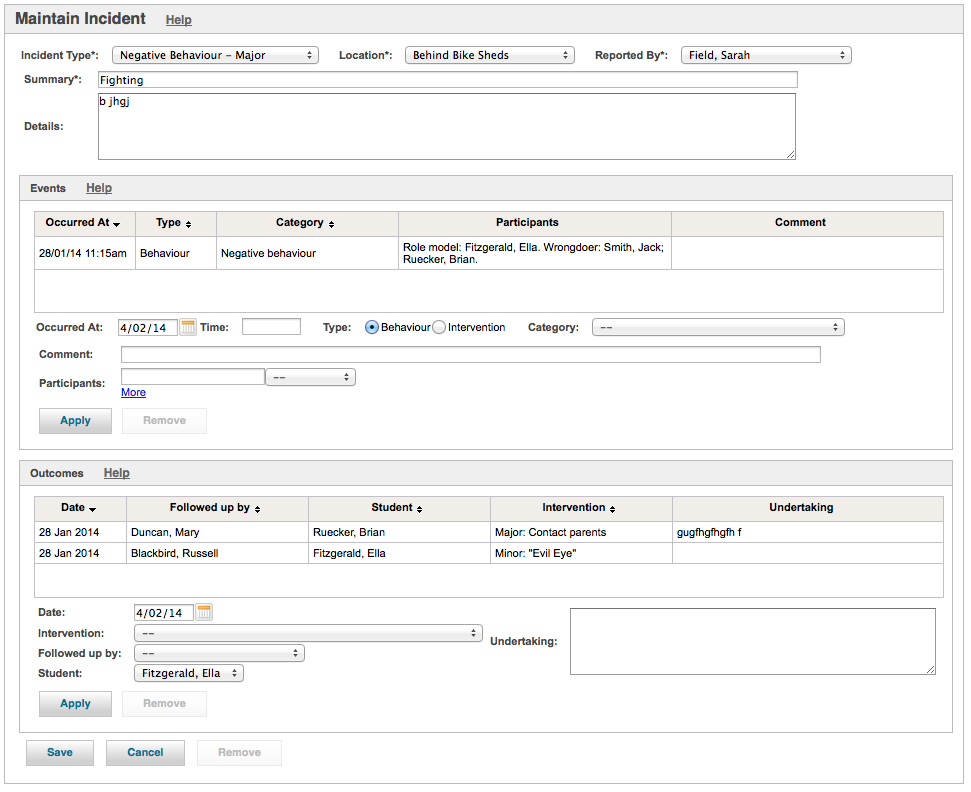
Assembly contains a feature-rich behavioural system which allows users to record and track full details on any behaviour incident including all participants and the behaviour (both good and bad) that each participant was involved in. All follow-up responses can be completed, allowing a full record of the incident to be recorded. Schola is currently working with PB4L to enable Assembly to completely support positive behaviour for learning and the required associated reports.
This is just the beginning of what we are aiming for with our student hub. Watch this space to see each new addition to our student hub as it comes along. We are very excited with the direction this is going in and are sure you will be impressed with what is coming.